



Take a look inside many smart homes and everyday life still looks surprisingly un-smart: the lamp comes from manufacturer A, the thermostat from manufacturer B, the blinds from a third supplier, and the doorbell needs yet another app on your smartphone. Sound familiar? This is exactly where Matter comes in. In a Matter smart home, the new standard lets your smart home devices from different brands communicate with each other more easily, turning separate solutions into a more coherent network. For you, this mainly means fewer misunderstandings between different ecosystems. But Matter does not replace HomeKit or any other control platform in your smart home. That is why what really counts is where and how you bring all functions together clearly and operate them in everyday life.

What Is a Matter Smart Home?
A Matter smart home is built on Matter, a new, cross-manufacturer smart home standard that gives devices from different brands a common language. As a unified communication protocol, Matter ensures that Matter devices understand switching commands, states and measured values on the network and can exchange them with each other. This lets you combine products from different manufacturers into one coherent smart home system without brand boundaries getting in the way of communication between devices.
SmartLife matters: What Matter Really Changes in the Smart Home
Above all, Matter creates one thing: interoperability. Communicating via Matter as a universal standard gives compatible devices a common basis of understanding for interaction.
To actually control your devices, you still need more than Matter: either HomeKit as your control centre, or Apple Home, Alexa, Google Home or Home Assistant. Keep one more thing in mind: Matter is not a smart home app, nor is it a new interface that replaces all your existing applications. And Matter is not a smart home hub either. It is a protocol that works in the background as a connectivity standard.
In this context, Thread can play an important role. With suitable devices, this networking technology forms a wireless mesh network over which Matter can communicate. Matter over Thread therefore extends your smart home network instead of creating an additional control environment. The range and connectivity you achieve in your home still depend on your specific network structure and the devices you use.
Even Matter compatible devices do not retroactively solve every connection problem. Not every older product automatically receives an update for the new smart home standard. Especially if you want to add a Matter thermostat, a blind control, a window contact or a doorbell, or combine a smart plug with Matter, it is worth checking the manufacturer's specifications. Further use cases show how smart home tablet wall mounts can work together in everyday life. One basic question always remains decisive: how well do the individual devices and systems in your home actually work together across brand boundaries?
Teamwork: How Matter and HomeKit Work Together in the Smart Home
Matter and HomeKit complement each other: on one side, Matter handles communication between compatible devices, while on the other side, Apple Home as the HomeKit interface provides the controls within the Apple ecosystem. This means HomeKit remains the control centre where you trigger scenes, organise devices and run your home. Matter works underneath as a shared mouthpiece, or device protocol, and above all extends compatibility between manufacturers.
It is important that you distinguish between the control interface and the home hub. Alongside the iPad, which used to serve as a permanent HomeKit hub, other devices have moved into the foreground.
- In the Apple ecosystem, HomePod or Apple TV increasingly take on the role of the Apple home hub.
- Nevertheless, the iPad remains an established control module in the smart home.
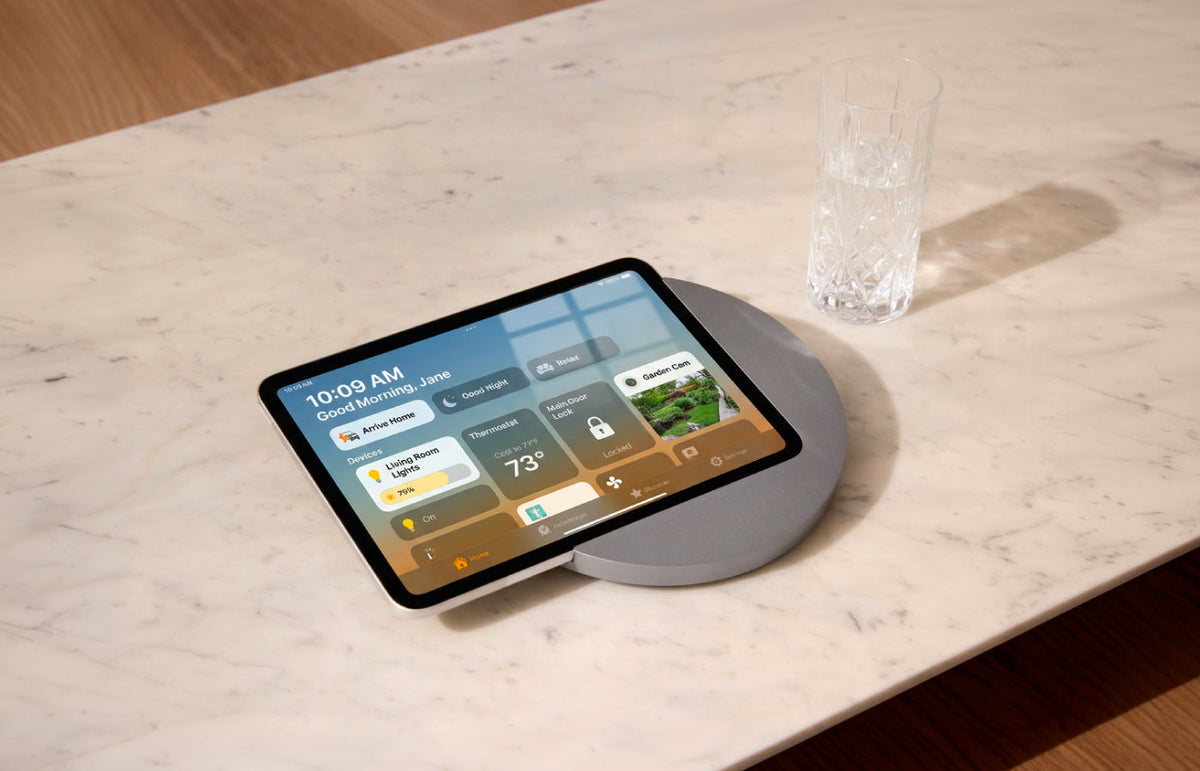
- As a permanently placed interface, it can show you the status of lighting, climate, cameras or shading at any time and give you direct access to the controls.
Matter therefore does not automatically answer the question of which device forms the technical hub in your home. The standard makes communication easier, but your chosen ecosystem still organises the control. That is why it pays to think of the hub and the control panel separately. One holds the system together, the other makes it visible and easy for you to reach.
This difference matters a lot, especially in a household with several family members. Nobody needs to know which smartphone is lying in which room or which app another resident opened last. The tablet shows the same interface for everyone. Matter provides the common language in the background, HomeKit organises the devices within Apple's system, and the iPad becomes the visible interface between people and technology.
The Tablet as Smart Home Control Panel: Interface Instead of Bridge
Comfort starts with simple operation. A tablet as a smart home control panel changes less about the technology in the background than about everyday life in front of it. Instead of looking for your smartphone for every application, you have a fixed place in your home where lighting, heating, cameras and other functions come together. Thanks to Matter, the display becomes a shared smart home control panel that every resident can reach and use intuitively.
This solution is particularly practical wherever many routes through the home come together:
- In the hallway, you can see at a glance whether a light is still on as you leave the house.
- In the kitchen, you start a scene without first pulling your phone out of your pocket.
- In the evening, a quick tap is enough to adjust lighting, temperature and shading to the mood you want.

At the same time, you can integrate the tablet into the interior design of your living area. A well-placed smart home panel then no longer looks like a piece of technology mounted as an afterthought, but like a natural interface of the house.
For visitors or family members who do not know every app, a fixed screen also makes it easy to find your way around. Instead of using personal smartphones with different menus, everyone finds the same features in the same place. This not only makes operation faster, it also gives the smart home a clearly recognisable address in everyday life.
With a smart home tablet or iPad as your central control point, you get a fixed point of contact for operating your smart applications digitally, yet comfortably and flexibly. The same principle applies to the iPad as smart home control as to other operating systems: the tablet brings the interfaces together, while the actual automation and device communication run in the respective system.
Home Assistant Tablet: Dashboard Instead of App Hunting
In your smart home, clarity emerges where many functions come together in one place. A Home Assistant tablet follows the same idea but implements it particularly consistently. Instead of switching between individual manufacturer apps, you can display an individually designed full-screen dashboard. What are the benefits? You see exactly the functions that matter in your everyday life, such as lighting, room temperature, security cameras, energy, and predefined moods with human centric lighting and music or soundscapes.
A control panel in kiosk mode is also a good fit for your own home. The display stays on the interface you want and does not keep showing you other apps, notifications or menus. If you use an iPad, you can set up iPad kiosk mode for this. Two or three well-designed views are enough for everyday use:
- an overview of the house
- a page for individual rooms
- a view for cameras or energy
The Home Assistant tablet dashboard can stay as simple as the wall it sits on. Large buttons, few levels and a clear layout help more than the densest possible information display. Especially on a display used by several people, clarity counts for more than technical depth.
Matter does not replace Home Assistant. With Matter and Home Assistant, Matter takes care of communication between compatible devices, while Home Assistant provides the interface and logic. Because the two take on separate tasks, a permanently visible dashboard is so appealing: you do not see the networking technology, only what you want to control at that moment.
Well Powered, Stylishly Placed: Where Your Panel Hangs and How It Stays Charged
Smart design is at its most appealing when it integrates technology naturally into your home. As soon as the tablet becomes a permanent part of your home, the hardware moves into the foreground. A display that shows the heating in the morning and controls lighting moods in the evening needs a fixed place and a power supply that does not look like an improvised charging cable. That is why you also want pure technology to become a stylish detail of your interior.
For continuous use, you naturally also want your display to receive permanent power. So you are looking for a solution that lets you leave your tablet permanently plugged in. A fixed power supply creates a calmer setup than an exposed cable running to the nearest socket. For an invisible installation, Displine offers wall mounts with power supply and the 30W flush-mounted power supply with USB-C, which fits into standard flush-mounted boxes from 40 millimetres deep.

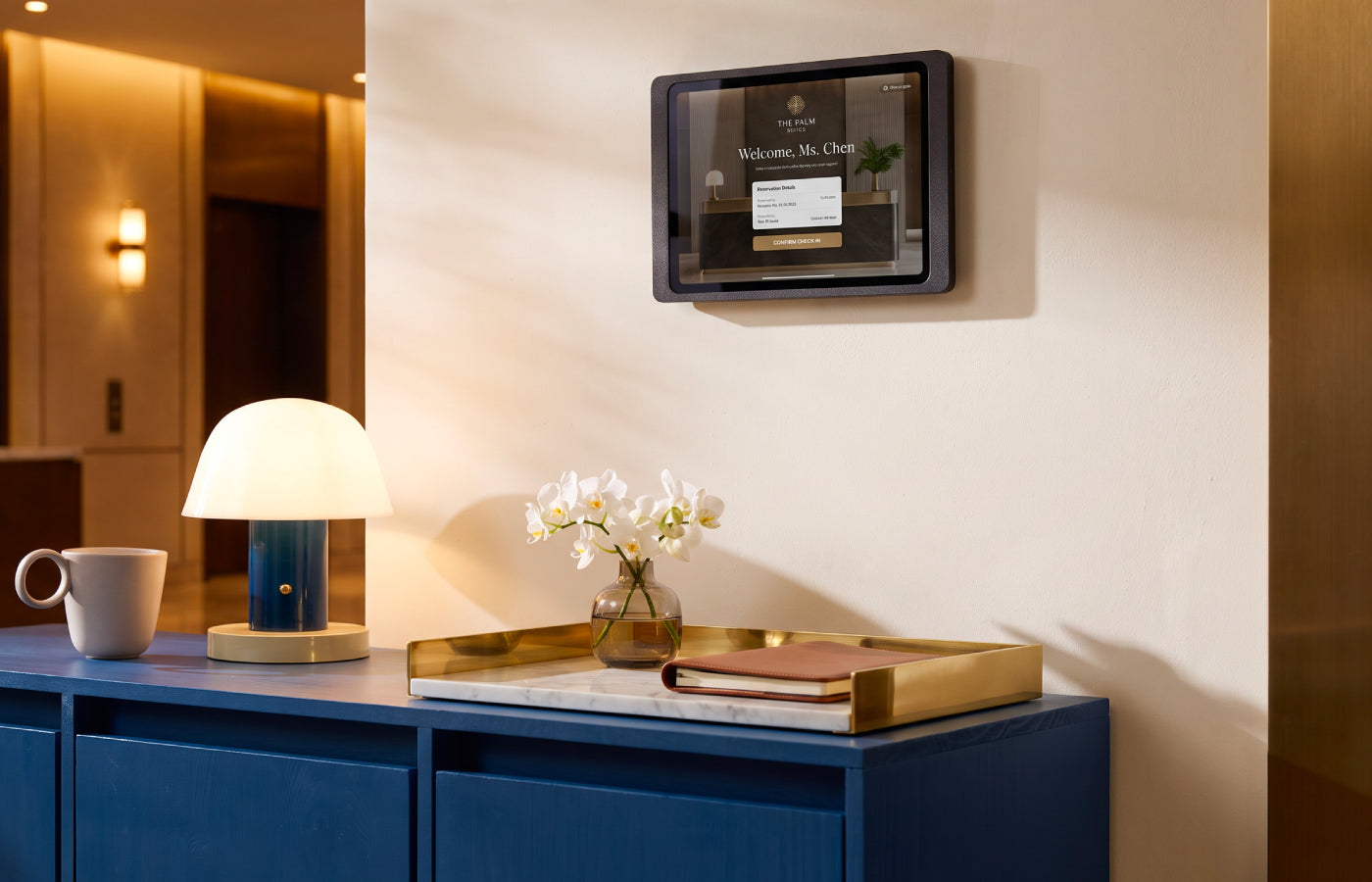
So that you can operate your smart home wall panel comfortably, the right placement is important. Mount the panel at a height where it can be operated comfortably in passing. Through areas that you pass several times a day anyway are particularly suitable. A flush-fitting solution looks calmer than a device that clearly sits on top of the wall and reinforces the impression that the display has been part of the architecture from the start.
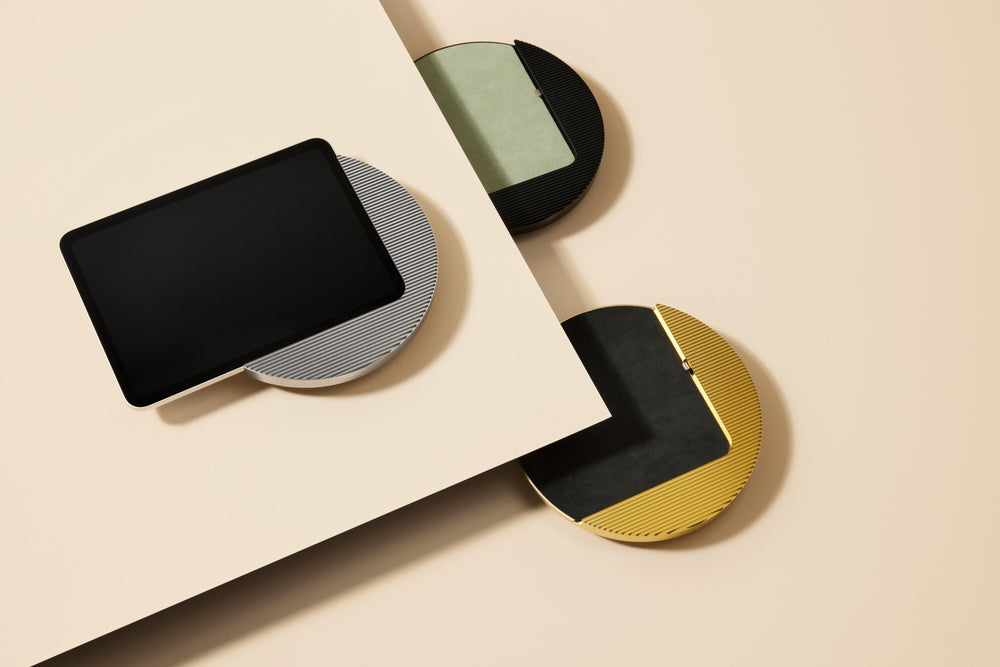
In your stylish home, it is not just about functionality, but above all about an attractive look. Especially when you install your control centre in the living area, you want to show it off with elegant materials. The Moonlight is made of anodised aluminium and has a grooved surface. Decide for yourself whether silver, black, gold or titanium suits your interior. With the Alcantara inlays in different colours, you create colourful accents. The integrated USB-C port ensures a permanent power supply. Alongside the exclusive design of the Moonlight, the Dame Wall 2.0 comes in a classic style. With this model, you design your interior with an elegant, slim wall mount made of anodised aluminium. In gold or rosé, this lockable, anti-theft holding frame fits perfectly between pictures and photographs. With the included charging cable, you can also charge this model permanently.

The Companion Wall 2.0 impresses with clean contours. The urban model is made of precisely milled and powder-coated aluminium, which supports the modern look of the wall mount. As the Companion Wall 2.0 supports both portrait and landscape orientation, you are flexible in how you align the display. From a functional point of view, the docking station also meets your requirements. With anti-theft protection and a hidden charging cable for permanent charging, your smart home control panel is always ready for use.
You can find an overview of more iPad wall mounts directly at Displine.
This turns your smart home control centre into more than just a screen on the wall. It gets a fixed place, stays charged and blends into the room as naturally as a light switch, thermostat or door handle.
FAQs: Frequently Asked Questions About Matter and HomeKit in the Smart Home
Do I need a new hub for a Matter smart home?
No, not necessarily. What matters is whether your existing smart home hub and the devices you want to integrate support Matter. A new standard for your smart home therefore does not automatically mean that you have to replace all of your existing technology.
Does Matter work in the smart home without the internet?
In principle, Matter devices can perform functions within the local network without every action having to go through the internet. Which functions additionally require a cloud or internet connection, however, depends on the respective devices, applications and manufacturers. So check above all the functions that are important to you in the event of an internet outage.
Can an iPad serve as a HomeKit hub?
No, using an iPad as home hub is no longer possible on a permanent basis. In the Apple ecosystem, HomePod or Apple TV take on this role. As a fixed control panel, the iPad still makes sense because it shows Apple Home, scenes and device status on one central interface.
Which display size is suitable for a wall panel?
The right display size depends on how much information you want to see at the same time and where the panel is located. For a few buttons, a more compact interface is enough, while extensive dashboards with cameras, room values and several scenes benefit from a larger display. More important than the size in inches is that you can recognise and operate all elements reliably from a normal distance.
Matter in the smart home does not turn a mixed collection of devices into a single system overnight. But the standard ensures that compatible devices from different manufacturers can communicate with each other more easily. HomeKit or Home Assistant remain the environment in which you organise this technology and operate it. Finally, a permanently installed tablet gives this invisible infrastructure a visible place in the room. When power supply, position and design fit together, the result is a central control surface that does not look like a technical solution, but belongs to the house. This is how the new Matter standard can be used in the smart home so that it is truly present in everyday life. Discover now.

Leave a comment
This site is protected by hCaptcha and the hCaptcha Privacy Policy and Terms of Service apply.