




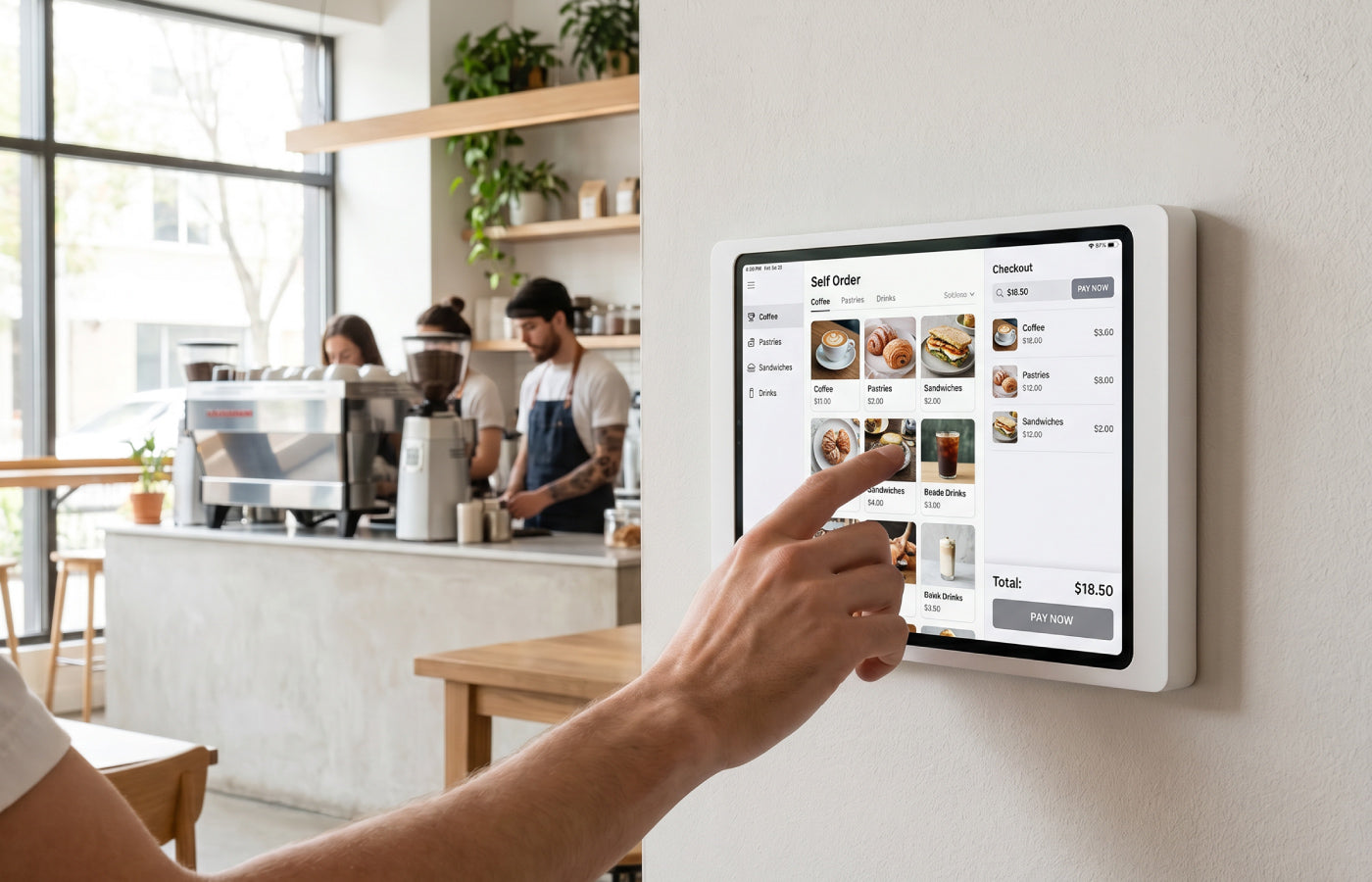
Computers were once the great innovation at the checkout. Today the iPad has taken over that role, in the cafe around the corner just as much as in the boutique and the concept store. An iPad POS system is quick to set up, familiar to operate and far more elegant than the bulky register towers of years past. Yet the tablet screen sits in the most exposed spot of your entire business: right where customers, staff and suppliers come together. This is exactly where it is decided whether an iPad becomes a professional point of sale: stylish, secure and permanently ready for service.
A wall-mounted iPad can take on a whole range of functions in the POS area:
- Customer self-ordering
- Self-service checkout (self-checkout)
- Click & collect pickup
- Digital ordering with payment processing
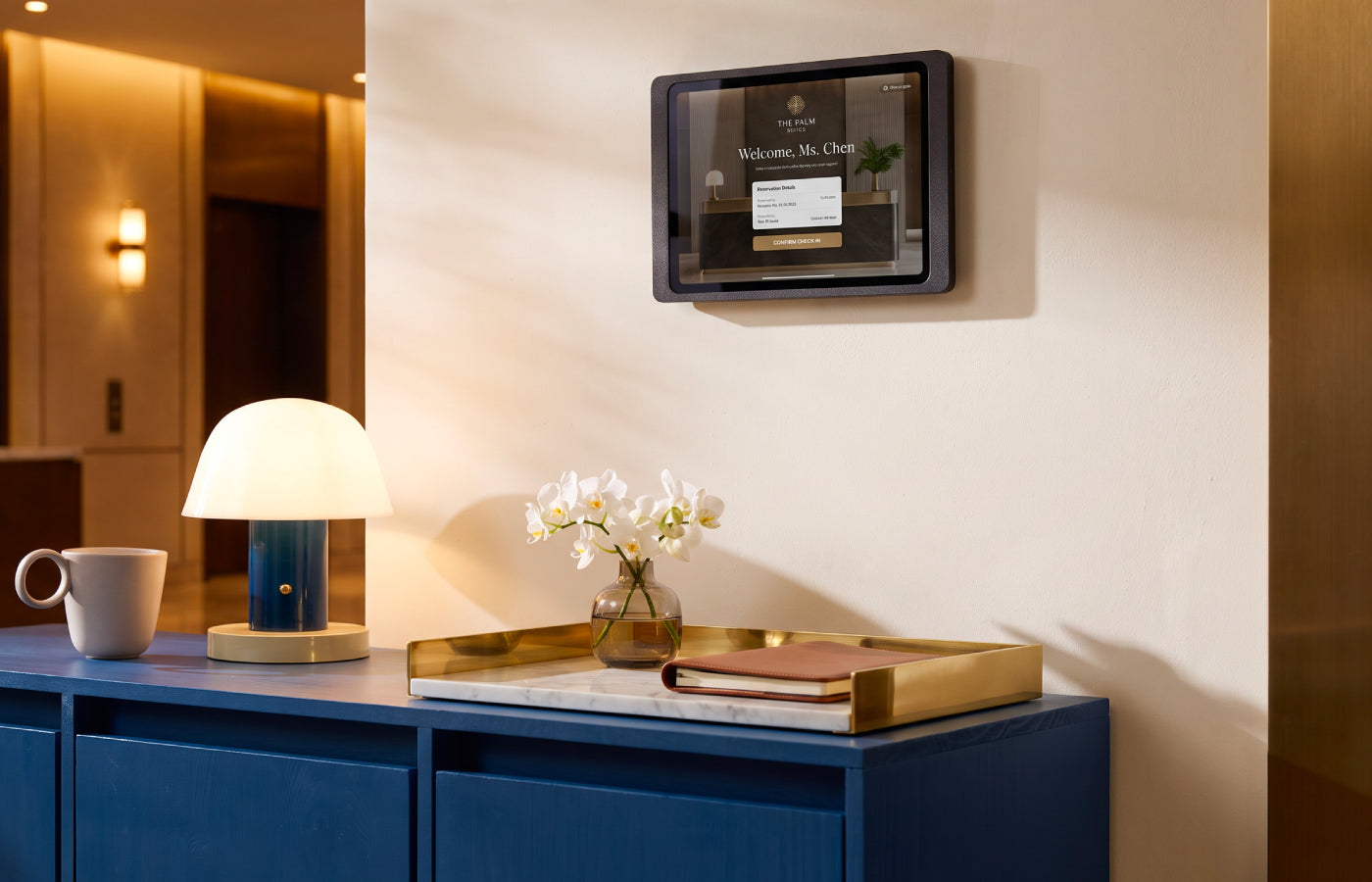
- Visitor or guest registration with payment function
- Product configuration with subsequent purchase
- Loyalty programme sign-up
- Digital receipt output
Displine supplies the lockable, anti-theft wall mount with permanent charging for exactly these scenarios. In this guide you will learn which hardware an iPad at the checkout really needs, what to keep in mind about fiscal compliance, and why the Dame Wall 2.0 and the Companion Wall 2.0 form the right foundation for an iPad as a POS system.
iPad as a POS System: Why Tablets Are Conquering the Checkout
The principle is simple. You install a POS app on a current iPad, connect a card terminal and a receipt printer if needed, and a fully fledged point of sale is ready. Providers such as ready2order, Zettle (by PayPal) and helloTESS supply exactly this software. They take care of product management, receipts, reporting and the connection to your accounting. The iPad is the stage, the software is the play.
For retail and hospitality, this approach has tangible advantages. A tablet POS system is cheaper to buy than a classic cash register, faster to update and intuitive to operate. New team members find their way around in minutes, because they already know the iPad interface from everyday life. Then there is the design aspect: an iPad on the wall or on the counter blends harmoniously into a well-thought-out store concept instead of disturbing it.
But precisely this open, visible use brings a requirement that many underestimate. An iPad at the checkout is a valuable, mobile device in a public place. Without the right mount it becomes a risk: for theft, for dead batteries in the middle of a sale, and for a messy tangle of cables on the counter. The hardware beneath the iPad is therefore not a side issue; it decides whether the operation is professional.

What Hardware Do You Need for an iPad Point of Sale?
An iPad POS system consists of several building blocks. The POS software is only one of them. For the checkout to work reliably day after day, you should plan for the following components:
- A current iPad as the central device, matched to your chosen POS app.
- A POS app from a provider such as ready2order, Zettle or helloTESS.
- A card terminal, if the app does not process card payments directly on the iPad.
- A receipt printer and optionally a cash drawer for cash transactions.
- A certified fiscal solution, such as the TSE (technical security element) that is legally required for electronic cash registers in Germany. Comparable fiscal rules apply in other countries, so check the requirements for your market.
- A secure, permanently powered wall mount as the physical base for the iPad.
That last point is what Displine delivers. While the software providers take care of receipts and reports, a professional POS iPad wall mount makes sure the device stays in place, stays protected and never powers down. Three properties are non-negotiable here: theft protection, permanent charging and clean cable management. A mount that combines all three turns a loose iPad into a fixed, dependable checkout.
If you want to dive deeper into the power question, our article Keeping a tablet permanently powered covers in-wall power supplies and clean installation in detail. For the security side, the guide Anti-theft protection for iPad and tablet explains what matters for publicly accessible devices.
Making the POS Theft-Proof: the Wall Mount as Protection
The checkout is the spot with the highest footfall in the entire store. An iPad lying loosely on a stand there can disappear in an unobserved moment. A theft-proof POS system therefore does not start with the software, but with how the device is fastened.
A lockable wall mount solves this problem at the root. The iPad sits firmly in its frame, cannot be removed without a key or tool, and stays permanently at the checkout. That protects not only against theft of the device itself, but also against unauthorised access to your POS data. Especially in hospitality and retail, where staff often step away, this security is worth its weight in gold.
Displine offers two mounts made precisely for this use. The Dame Wall 2.0 is lockable and theft-proof, making it the consistent choice for any publicly accessible checkout. The Companion Wall 2.0 comes with anti-theft protection included and secures the iPad just as reliably. Together they fulfil the basic requirement for a professional iPad POS system.
Important to know: not every Displine mount is suitable for the checkout. Our sculptural table solutions such as the Sunset Stand and the Sunset Desk Console are refined design objects for reception, showroom or desk, but they have no theft protection. For a checkout with public footfall they are deliberately not the right choice. Specially supervised environments are the exception: in a luxurious boutique where trained staff are always present, the Sunset Stand and the Sunset Desk Console can certainly serve as a representative point of sale. What such a premium staging at the point of sale looks like is shown in our piece on iPad solutions for luxury retail and boutiques. The same applies to our Home line, Moonlight and Sunset: beautiful mounts, but without a locking function and therefore not intended for the checkout. For an iPad as a POS system, the path leads exclusively through the lockable models Dame Wall 2.0 and Companion Wall 2.0.

Dame Wall 2.0: the Elegant Classic for the Checkout
The Dame Wall 2.0 carries the title of the elegant classic, reissued, and that claim shows itself especially clearly at the checkout. The mount is milled from a solid block of aluminium and the surface is anodised. The result is a slim frame with fine finishing that sits flush with the iPad. In a place where customers look directly at the device, this level of design care acts as a quiet promise of quality for your entire business.
Three properties are decisive for POS operation. First, the Dame Wall 2.0 is lockable and theft-proof, so the iPad stays firmly and safely in place. Second, permanent charging with the included charging cable ensures the till never stands still because of an empty battery. Third, the mount can be installed in portrait or landscape, exactly as your checkout layout and your POS app require. If you want to change the orientation from time to time, for instance to rotate the screen between horizontal and vertical, you can add the optional rotation unit.
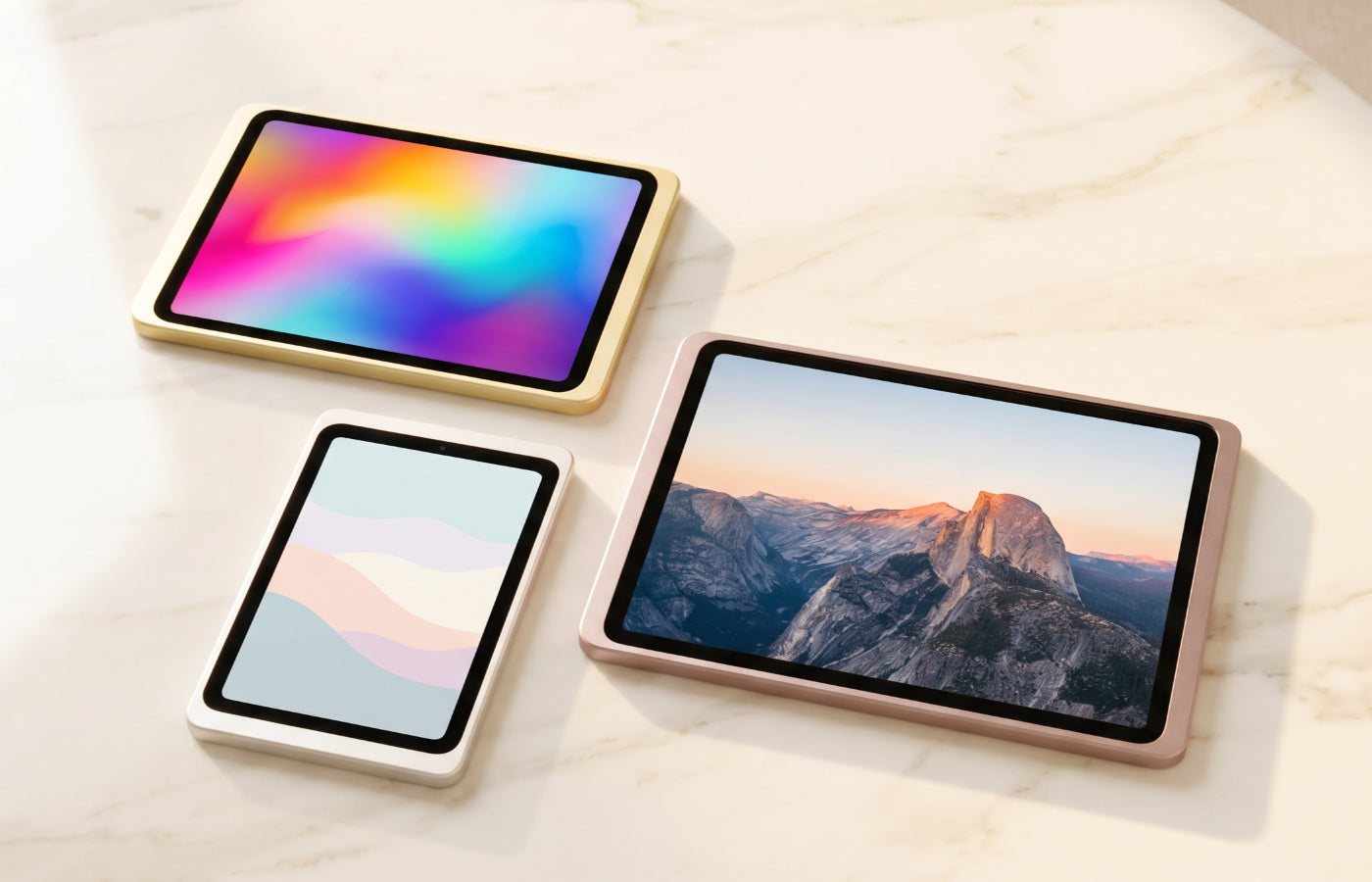
The Dame Wall 2.0 is designed for the iPad and fits current models from the iPad mini through iPad and iPad Air up to the iPad Pro. Depending on the tablet, it is available in six colours: powder-coated white or anodised finishes from silver and black to gold, rose gold and titanium. So there is a matching look for every store concept. If your POS system should not merely function but also make a statement, the Dame Wall 2.0 is the first choice. You will find an overview of all models in the Dame Wall 2.0 collection; the iPad version is presented in detail on the Dame Wall 2.0 for iPad product page.
Companion Wall 2.0: the Slim Solution, Also for Samsung Galaxy Tab
The Companion Wall 2.0, the classic in slim form, is the second wall mount we recommend for an iPad POS system. It convinces with its fine finishing, powder coating and a slender shape that extends slightly beyond the iPad. The device sits firmly and protected, the look stays restrained and tidy, exactly right for a checkout that should feel organised and professional.
The Companion Wall 2.0 also fulfils every requirement of a secure checkout. Anti-theft protection is included, so the iPad cannot be removed without authorisation. Permanent charging via a hidden charging cable keeps the device ready for service at all times, without a cable cluttering the counter. Like the Dame Wall 2.0, it can be mounted in portrait or landscape and extended with the optional rotation unit.
One advantage makes the Companion Wall 2.0 particularly interesting for many businesses: it is the only lockable Displine mount that accepts not only current iPads but also the current Samsung Galaxy Tab, including the Tab A11, Tab A9 and Tab S10 FE. If your POS system runs on Android instead of iOS, or if you equip several locations with mixed hardware, the Companion Wall 2.0 is the flexible answer. You can read more about Samsung tablets in professional environments in our article Samsung Galaxy Tab wall mount for business. The full selection is in the Companion Wall 2.0 collection.

Fiscal Compliance: What the Hardware Contributes
An iPad POS system has to meet legal requirements. In Germany, the TSE (technical security element) is central: it logs every till transaction tamper-proof and has been mandatory for electronic cash registers since 2020. The GoBD principles additionally regulate how POS data must be stored and kept traceable. Other countries have their own fiscal rules for electronic registers, so make sure your setup complies with the regulations of your market.
Fiscal compliance is primarily the job of the POS software. Providers such as ready2order, Zettle and helloTESS integrate the required fiscal components directly into their solutions and make sure your system meets the legal requirements. Displine deliberately supplies neither software nor fiscal modules. What a well-designed hardware base does contribute is reliability. A POS system can only record completely and compliantly if the iPad runs without interruption. If the device fails because of an empty battery, gaps appear in the operation that nobody can afford.
This is exactly where the permanent charging of the Dame Wall 2.0 and the Companion Wall 2.0 ensures clean, compliant POS operation. The iPad stays in service around the clock, the POS software records without interruption, and you never have to worry about the battery level. A firmly installed, permanently powered mount is the quiet, dependable foundation beneath a compliant iPad POS system. If you are equipping several checkouts professionally, our collection of professional business tablet mounts is also worth a look.
Clean Cable Management: a Checkout that Stays Tidy
A professional checkout lives on order. Loose charging cables, visible power adapters and a cable tangle behind the iPad contradict every well-designed store concept. Both recommended tablet mounts solve this in their own way. With the Companion Wall 2.0 and the Dame Wall 2.0, the matching charging cable is already included and runs invisibly inside the mount. The installation stays exceptionally tidy in both cases. Combined with an in-wall power supply, the entire power feed disappears into the wall. The result is a checkout that looks organised, secure and professional.
How an iPad workstation integrates seamlessly into a business environment is shown on our office use-case page. The principles described there, order, security and aesthetics, apply to the checkout in exactly the same way. If you are still unsure which mount suits your use case, the guide How to find the perfect tablet wall mount offers structured help with the decision.
Conclusion: the Secure Wall Mount Turns an iPad into a Real Point of Sale
An iPad POS system is set up quickly, but only the right hardware turns it into a dependable checkout. The POS software from ready2order, Zettle or helloTESS takes care of receipts, reports and fiscal compliance. Displine delivers the foundation beneath it: a lockable, permanently charging iPad wall mount that protects the iPad, keeps it ready for service and presents it elegantly. With the Dame Wall 2.0 and the Companion Wall 2.0, two solutions combine theft protection, permanent charging and a clean cable picture in a single product. That is how a tablet becomes a professional point of sale: stylish, secure and permanently ready.
Frequently Asked Questions
What hardware do I need for an iPad point of sale?
For an iPad point of sale you need a current iPad, a POS app from a provider such as ready2order, Zettle or helloTESS, a certified fiscal solution where required by law, a card terminal and receipt printer as needed, and a secure, permanently powered tablet wall mount. The software comes from the POS providers; the theft-proof hardware base comes from Displine. The Dame Wall 2.0 and the Companion Wall 2.0 keep the iPad fixed, protected and permanently charged at the checkout.
Is an iPad suitable as a POS system?
Yes, an iPad is very well suited as a POS system. It is cheaper than a classic cash register, intuitive to operate and quick to set up via a POS app. What matters is that the iPad at the checkout is firmly installed, secured against theft and permanently charged. A lockable iPad wall mount such as the Dame Wall 2.0 or the Companion Wall 2.0 turns the iPad into a professional, dependable point of sale.
How do I fix an iPad at the checkout?
The best way to fix an iPad at the checkout is a lockable wall mount. The device sits firmly in its frame, cannot be removed without authorisation and stays permanently powered via an integrated charging cable. The Companion Wall 2.0 and the Dame Wall 2.0 can be mounted in portrait or landscape and adapt to any checkout layout. Combined with an in-wall power supply, the checkout stays completely tidy.
Do I need a fiscal security element for an iPad POS system?
In Germany, a TSE (technical security element) is legally required for an iPad POS system; it logs every transaction tamper-proof. Other countries have comparable fiscal requirements for electronic registers. The fiscal component is provided by the POS software, not by the wall mount. For the system to record completely and compliantly, however, the iPad has to run continuously. That is exactly what the permanent charging of the Dame Wall 2.0 and the Companion Wall 2.0 guarantees.
Is an iPad POS system suitable for retail and hospitality?
Yes, an iPad POS system suits both retail and hospitality. Both environments see heavy footfall, so the iPad should be securely mounted and protected against theft. A lockable wall mount with permanent charging keeps the checkout ready for service at all times. The Companion Wall 2.0 accepts both current iPads and the current Samsung Galaxy Tab, which makes it particularly flexible.

Leave a comment
This site is protected by hCaptcha and the hCaptcha Privacy Policy and Terms of Service apply.