



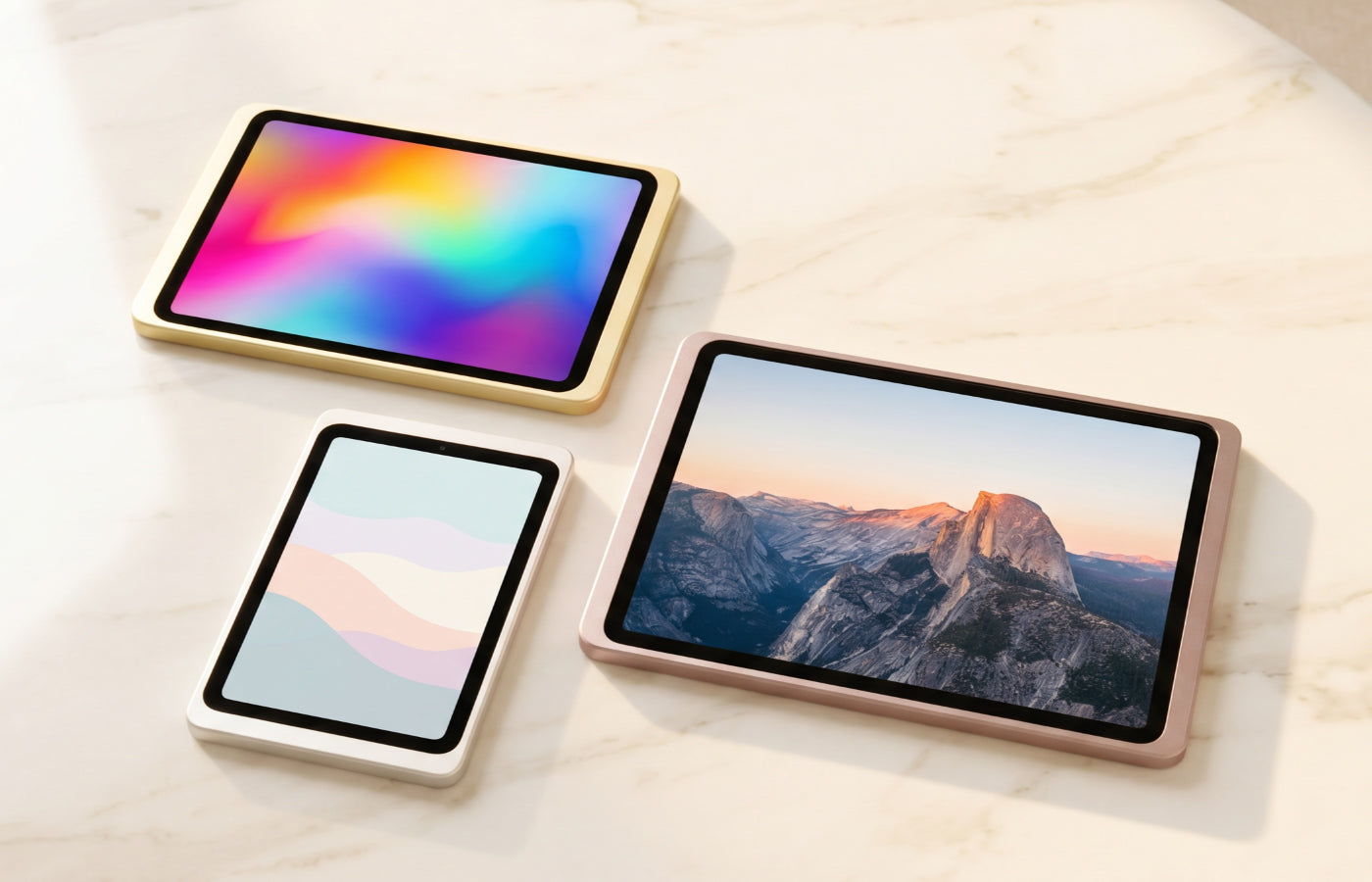
Mounting your iPad on the wall or placing it in an iPad stand is a great idea to make the most out of your mobile device. Before you order an iPad mount, however, you need a reliable answer to a simple question: Which iPad do I have? Apple has released more than 35 different iPad models since 2010, from the original 9.7-inch generation to the current iPad Pro with the M5 chip. Display size, port and form factor differ considerably between models, and precisely these details decide which iPad wall mount fits perfectly.
In this guide we show you how to identify your iPad in 30 seconds, give you an overview of every current generation, and match each one with the right Displine tablet mount. Precise, structured, and always up to date.
Why Model Identification Matters
An iPad mount is not an accessory that covers multiple generations at once. Apple regularly changes the external dimensions, the position of the camera module, the speaker openings and the charging port. An iPad holder designed for the iPad 9th generation blocks the speaker on the iPad 10th generation and does not match the USB-C port. Therefore the more accurate the iPad enclosure the better the overall fit and user experience.
At Displine, every iPad mount is precisely engineered for specific iPad models. As a result the device fits seamlessly into the enclosure while the charging cable is elegantly concealed in the mount and routed behind it. Model identification is therefore the first step toward the right tablet mount selection.

Identify Your iPad in 30 Seconds
There are three ways to determine your iPad model unambiguously. Choose the one that is fastest for your situation.
Option 1: Through the Settings App
On your iPad, open Settings, General, About. Under Model Name, you will see the exact designation, such as "iPad Pro 11-inch (4th generation)" or "iPad Air 11-inch (M2)". This information is the most reliable source and is fully sufficient for choosing the right Displine wall mount.
Option 2: Through the Model Number on the Back
Turn the iPad over and look on the underside of the housing, beneath the Apple logo, for a small grey inscription. It starts with the letter A, followed by four digits, for example A1822 or A2068. This model number uniquely identifies the iPad's generation. A complete list is available on the Apple support page for iPad identification.
Option 3: Through the Serial Number
If neither the model name nor the model number is accessible, the serial number will help. It is also on the back of the device or under Settings, General, About, Serial Number. On the Apple service page checkcoverage.apple.com, it returns the exact model, including the warranty status.

iPad Generations at a Glance
Apple divides the iPad family into four lines that differ in size, performance and target audience. The overviews below show the current models with display size, port and model numbers.
Standard iPad
The iPad in its standard configuration is the most affordable model and, for many, the first choice as a smart home hub, a wall tablet in the hallway or a digital control panel. Since the 10th generation, the port is USB-C; older models use Lightning.
| Generation | Display | Port | Model number | Release year |
|---|---|---|---|---|
| iPad (5th gen) | 9.7" | Lightning | A1822, A1823 | 2017 |
| iPad (6th gen) | 9.7" | Lightning | A1893, A1954 | 2018 |
| iPad (7th gen) | 10.2" | Lightning | A2197, A2200, A2198 | 2019 |
| iPad (8th gen) | 10.2" | Lightning | A2270, A2428, A2429, A2430 | 2020 |
| iPad (9th gen) | 10.2" | Lightning | A2602, A2603, A2604, A2605 | 2021 |
| iPad (10th gen) | 10.9" | USB-C | A2696, A2757, A2777, A3162 | 2022 |
| iPad (11th gen, A16) | 10.9" | USB-C | A3354, A3355, A3356 | 2025 |
iPad mini
The most compact model with a 7.9 or 8.3-inch display. At Displine, it is particularly popular for hallways, narrow walls and as a control panel next to entrance doors.
| Generation | Display | Port | Model number | Release year |
|---|---|---|---|---|
| iPad mini (4th gen) | 7.9" | Lightning | A1538, A1550 | 2015 |
| iPad mini (5th gen) | 7.9" | Lightning | A2133, A2124, A2125, A2126 | 2019 |
| iPad mini (6th gen) | 8.3" | USB-C | A2567, A2568, A2569 | 2021 |
| iPad mini (A17 Pro) | 8.3" | USB-C | A2993, A2995, A2996 | 2024 |
iPad Air
The slim mid-range line between the standard iPad and the iPad Pro. With an M-chip since 2024, ideal as a smart home hub running a Home Assistant dashboard.
| Generation | Display | Port | Model number | Release year |
|---|---|---|---|---|
| iPad Air (1st gen) | 9.7" | Lightning | A1474, A1475, A1476 | 2013 |
| iPad Air 2 | 9.7" | Lightning | A1566, A1567 | 2014 |
| iPad Air (3rd gen) | 10.5" | Lightning | A2152, A2123, A2153, A2154 | 2019 |
| iPad Air (4th gen) | 10.9" | USB-C | A2316, A2324, A2325, A2072 | 2020 |
| iPad Air (5th gen) | 10.9" | USB-C | A2588, A2589, A2591 | 2022 |
| iPad Air (M2, 11") | 11" | USB-C | A2902, A2903, A2904 | 2024 |
| iPad Air (M2, 13") | 13" | USB-C | A2898, A2899, A2900 | 2024 |
| iPad Air (M3, 11") | 11" | USB-C | A3266, A3267, A3270 | 2025 |
| iPad Air (M3, 13") | 13" | USB-C | A3268, A3269, A3271 | 2025 |
| iPad Air (M4, 11") | 11" | USB-C | A3459, A3460, A3463 | 2026 |
| iPad Air (M4, 13") | 13" | USB-C | A3461, A3462, A3464 | 2026 |
iPad Pro
The premium line with a ProMotion display and the highest performance. In-demand iPad wall mounts include the Dame Wall Home 2.0 and the Dame Wall 2.0.
| Generation | Display | Port | Model number | Release year |
|---|---|---|---|---|
| iPad Pro (1st gen, 9.7") | 9.7" | Lightning | A1673, A1674, A1675 | 2016 |
| iPad Pro (2nd gen, 10.5") | 10.5" | Lightning | A1701, A1709, A1852 | 2017 |
| iPad Pro 11" (1st gen) | 11" | USB-C | A1980, A2013, A1934, A1979 | 2018 |
| iPad Pro 11" (2nd gen) | 11" | USB-C | A2228, A2068, A2230, A2231 | 2020 |
| iPad Pro 11" (3rd gen) | 11" | USB-C | A2377, A2459, A2301, A2460 | 2021 |
| iPad Pro 11" (4th gen) | 11" | USB-C | A2759, A2761, A2435, A2762 | 2022 |
| iPad Pro 11" (M4) | 11" | USB-C | A2836, A2837, A3006 | 2024 |
| iPad Pro 11" (M5) | 11" | USB-C | A3357, A3358, A3359 | 2025 |
| iPad Pro 12.9" (3rd gen) | 12.9" | USB-C | A1876, A2014, A1895, A1983 | 2018 |
| iPad Pro 12.9" (4th gen) | 12.9" | USB-C | A2229, A2069, A2232, A2233 | 2020 |
| iPad Pro 12.9" (5th gen) | 12.9" | USB-C | A2378, A2461, A2379, A2462 | 2021 |
| iPad Pro 12.9" (6th gen) | 12.9" | USB-C | A2436, A2437, A2764, A2766 | 2022 |
| iPad Pro 13" (M4) | 13" | USB-C | A2925, A2926, A3007 | 2024 |
| iPad Pro 13" (M5) | 13" | USB-C | A3360, A3361, A3362 | 2025 |
Which Displine Wall Mount Fits Which iPad?
Once you have identified your iPad model, the matching Displine iPad mount is just a few seconds away. The matrix below shows the compatible Displine product lines for each current iPad family.
For iPad mini (8.3")
- Companion Wall Home: the only Home line that supports the iPad mini. Classic look, integrated charging cable, the tablet is easy to remove.
- Dame Wall 2.0: the latest version with USB-C charging cable and six different colours.
- Dame Wall Home 2.0: with integrated rotation function, Alcantara inlay and USB-C port.
For iPad 10.2" (7th, 8th, 9th generation, Lightning)
- Companion Wall: the classic for older iPad models.
- Companion Wall Home: with integrated charging cable.
- Dame Wall: premium solution, machined from a single aluminium block and anodised.
- Dame Wall Home: with rotation function and integrated charging cable. Specifically for the 10.2-inch generations with Lightning cable.
For iPad 10.9" (10th generation) and iPad 11" (A16)
- Companion Wall 2.0: the slim classic with hidden charging cable and anti-theft protection.
- Companion Wall Home: classic look, iPad easy to remove.
- Dame Wall 2.0: premium wall mount in six colours.
- Dame Wall Home 2.0: a refined iPad docking station with rotation function and Alcantara inlay.
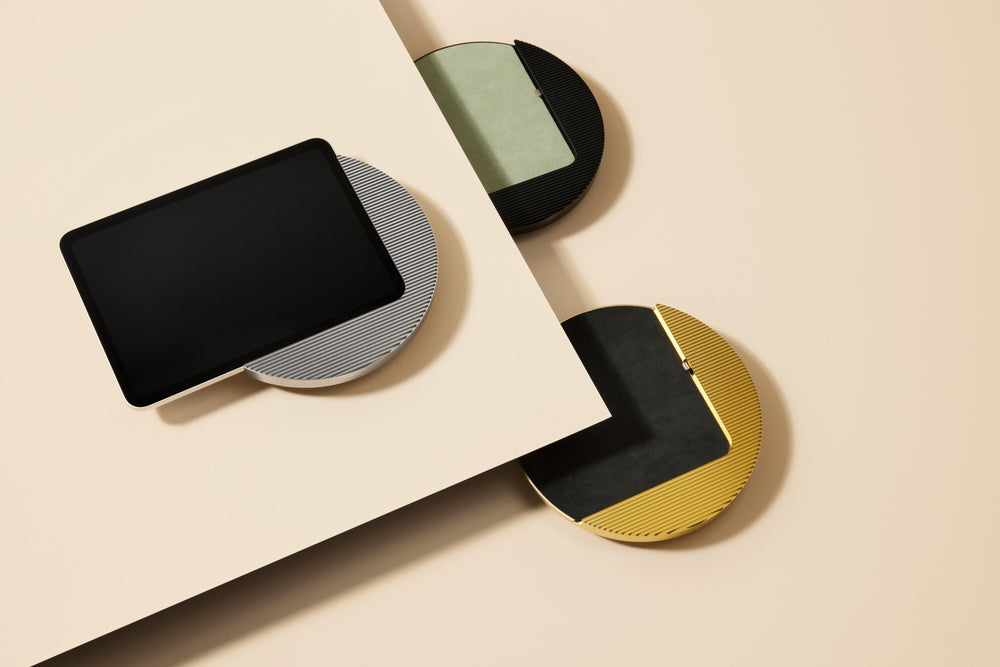
- Moonlight: sculptural wall mount with a round form and integrated cable. Bold elegance for your iPad.
- Sunset (wall): refined elegance in its finest form, winner of the German Design Award.
For iPad Air 10.9" (4th and 5th gen) and 11" (M2, M3, M4)
- Companion Wall 2.0: with USB-C charging cable and anti-theft protection.
- Companion Wall Home: classic look with softened edges.
- Dame Wall 2.0: classic and slim.
- Dame Wall Home 2.0: a refined iPad docking station with rotation function.
- Moonlight: design-driven wall mount with grooved surface and round form.
- Sunset: sculptural wall mount from the Sunset series.
For iPad Air 13" (M2, M3, M4)
- Dame Wall 2.0 in the 13-inch variant: elegant, premium solution with refined craftsmanship.
- Dame Wall Home 2.0 in the 13-inch variant with rotation function and Alcantara inlay.
For iPad Pro 11" (1st to 4th generation)
For iPad Pro 11" (M4 and M5)
For iPad Pro 12.9" and 13" (M4, M5)
- Dame Wall in the 12.9-inch variant (for the 3rd to 6th generation).
- Dame Wall 2.0 in the 13-inch variant (for M4 and M5).
- Dame Wall Home 2.0 in the 13-inch variant with rotation function and Alcantara inlay.
A complete, model-specific filter is available on the Compatible Devices page and directly in every collection.

USB-C or Lightning? What the Port Means for Your iPad Wall Mount
Since the iPad (10th generation) and the iPad Pro (3rd generation), Apple has consistently moved to USB-C. Older models such as the iPad 9th generation, the iPad mini 5 and the iPad Pro line before 2018 use Lightning. For a wall mount with a charging function, this distinction is critical because the charging cable is fixed inside the mount.
- Wall mounts with a fixed USB-C charging function: Companion Wall 2.0, Companion Wall Home, Dame Wall 2.0, Dame Wall Home 2.0, Moonlight, Sunset, Sunset Stand, Sunset Desk Console.
- Wall mounts with a port that depends on the variant ordered (USB-C or Lightning): Companion Wall Home and Dame Wall Home.
- Wall mounts without an included cable: Companion Wall and Dame Wall.
Anyone who owns a Lightning iPad today and plans to upgrade to a USB-C model in the next few years should plan ahead when choosing a wall mount. Our article USB-C or Lightning for iPad Wall Installation gives you a detailed decision aid.
Wall Mount or Desk Stand?
Model identification is only the first step. The second question is the application. At Displine we distinguish two main scenarios:
- Wall mounting: for permanent installation as a smart home display, digital door sign, point-of-sale or audio guide. An iPad wall mount is the right choice here.
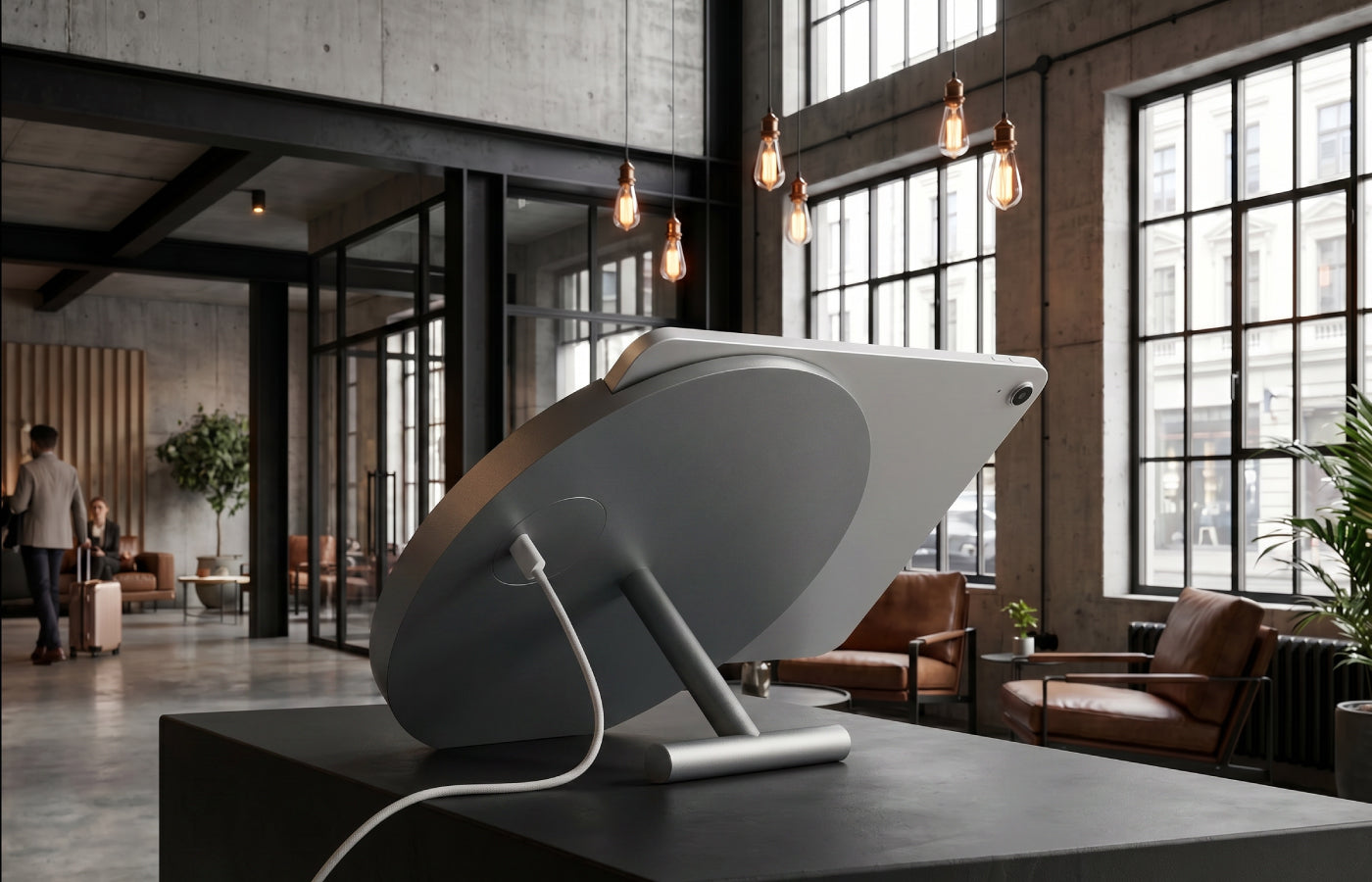
- Desk mounting in premium environments: for boutiques, five-star hotel suites and boardrooms, the Sunset Stand and Sunset Desk Console come into play. Milled from a single aluminium block, finished with Alcantara inlay.

Frequently Asked Questions
How do I recognise which iPad generation I own?
Open Settings, General, About on the iPad. Under "Model Name" you will see the exact generation, for example "iPad Air 11-inch (M2)". Alternatively, the model number (starting with the letter "A") is on the back of the device.
What do model numbers like A1822 or A2068 mean?
Apple assigns every iPad a unique model number, printed on the back of the device and shown in Settings. A1822, for example, stands for the iPad (5th generation, Wi-Fi variant). The number helps you identify the model beyond doubt, without relying on the marketing name, for instance when buying a used iPad.
Which is the newest iPad generation?
As of April 2026, the current models are: iPad (A16, 10.9", 2025), iPad mini (A17 Pro, 8.3", 2024), iPad Air M4 (11" and 13", 2026) and iPad Pro M5 (11" and 13", 2025). Apple typically refreshes the product lines in spring and autumn.
Which iPad is best suited for wall mounting?
For most use cases, the iPad (10th generation) or iPad (A16) offers the best price-performance ratio. USB-C port, 10.9-inch display and all current Displine wall mounts are available. If you need more performance, for example for a Home Assistant dashboard with many live data sources, the iPad Air M4 is the better choice. For particularly narrow spaces, the iPad mini is ideal.
Which iPad model has USB-C?
USB-C is present on every iPad from the following generation onward: iPad (10th generation, 2022), iPad mini (6th generation, 2021), iPad Air (4th generation, 2020), iPad Pro 11" and 12.9" (3rd generation, 2018) and all newer models. Older iPads use Lightning.
Which Apple Pencil fits my iPad?
Apple now offers four different Apple Pencil generations, with compatibility varying by iPad. To find out which Pencil works with your iPad, the official Apple overview at support.apple.com/guide/apple-pencil/ is the most reliable source. For the wall mount itself the Pencil plays no role. Note that the Pencil cannot be magnetically attached to the iPad while the tablet is inside the wall mount or stand.
Which Displine wall mount fits the new iPad Pro M5?
For the iPad Pro 11" M5, the Dame Wall 2.0, Dame Wall Home 2.0, Moonlight and Sunset are the right choices. For the iPad Pro 13" M5, the Dame Wall 2.0 and Dame Wall Home 2.0 in the 13-inch variant are the correct fit. A precise model filter is available in the iPad Pro wall mount collection.
Are older iPads still useful as a smart home hub?
Yes, as long as the iPad still receives software updates. An iPad from the 7th generation onwards, or an iPad Air from the 3rd generation onwards, works flawlessly as a smart home display. Check that Apple still supplies your generation with current iPadOS.


Leave a comment
This site is protected by hCaptcha and the hCaptcha Privacy Policy and Terms of Service apply.