



Meeting Room Booking System with iPad: The Hardware Behind Every Meeting Room Display

Digitalisation reached office floors and meeting rooms long ago. Anyone walking up to a meeting room today wants to see at a glance whether it is free, who has booked it and until when. That is exactly what a modern meeting room booking system does: a tablet beside the door that shows the occupancy status and allows spontaneous bookings on the spot. The software comes from specialised providers. The hardware that holds the tablet securely, permanently charged and elegantly on the wall comes from Displine.
A good meeting room display stands or falls on three things: a reliable power supply, a stable network connection and a mount that presents the tablet professionally. Displine is a family business from Wiesbaden whose parent company, Radmot, draws on more than 30 years of experience in metalworking. We supply the layer your digital door sign runs on: precisely made, theft-proof and permanently powered.

How a Meeting Room Booking System Is Built: Software and Hardware
A meeting room booking system consists of two building blocks that have to work together. The first is the software. It manages the calendars of your rooms, syncs bookings with Microsoft 365, Google Workspace or Exchange and provides the occupancy status in real time. The second building block is the hardware: the tablet that shows the status, and the wall mount that fixes it beside the door, keeps it powered and protects it from unauthorised access.
Displine develops and produces only the second building block. We do not make booking software and we do not run calendar services. That is a deliberate division of labour: you choose the software that fits your IT landscape and combine it with hardware that withstands continuous operation in semi-public areas. Established providers such as Joan, Roomz and Robin all run on standard tablets, and so does Microsoft Teams Rooms. For the mount, the choice of software makes no difference, because the requirement is the same for all of them: a tablet that is firmly mounted, always charged and secured against theft.
The typical set-up looks like this. A wall mount is installed beside the room door, with a tablet permanently seated in it. The booking app runs on the tablet in kiosk mode. Power arrives through a cable that disappears into the wall, so no socket remains visible. The connection to the calendar server runs over Wi-Fi or, considerably more stable, over a network cable. The result is a meeting room display that communicates the room status clearly and allows bookings directly on the screen.
The Right Wall Mount: Two Routes to a Meeting Room Display
For a tablet outside the meeting room, two ranges in the Displine collection come into question. Both are lockable and both can charge permanently. They differ in design, material, surface finish and price, and in whether they are compatible with Samsung devices.

Companion Wall 2.0
The Companion Wall 2.0 is the economically sensible entry into professional room signage. Refined and slim, it costs 240 euros and brings everything a digital door sign needs: fixed wall mounting, anti-theft protection and permanent charging with a hidden charging cable (provided an in-wall power supply is available). The Companion Wall is finely finished, with a powder-coated surface, available in white, black and anthracite, so the mount blends discreetly into any corporate design. For companies with a mixed device fleet it is the obvious choice: as the only lockable Displine mount, it is also compatible with current Samsung Galaxy Tabs, including the Tab A9, Tab A11, Tab S9 and Tab S10 FE. You will find guidance on choosing the model in our article on the Samsung Galaxy Tab wall mount for business use.

Dame Wall 2.0
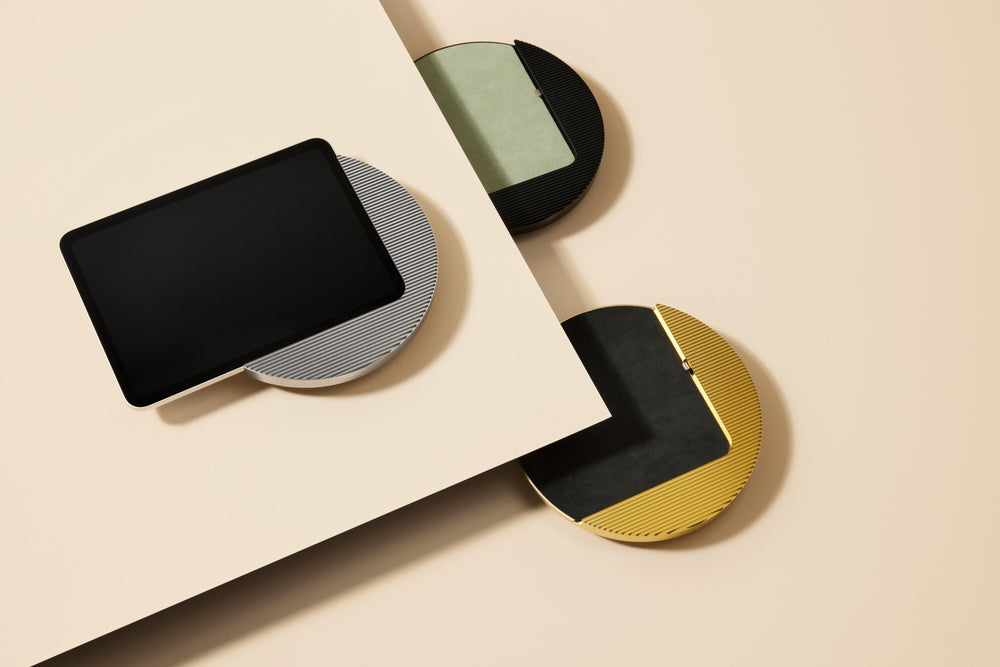
The Dame Wall 2.0 is the ideal choice for representative areas such as executive floors, reception halls or law offices. Like the Companion Wall 2.0, it is machined from a solid block of aluminium, lockable and theft-proof, and allows permanent charging of the tablet where an in-wall power supply is available. Slim and stylish — that is exactly how it looks on the wall. It is available from 360 euros, looks understated and refined in its design, and comes in five elegant finishes: white powder-coated, plus silver, black, gold and titanium anodised. Where the mount is part of the architecture and not just technology, this difference justifies the premium. The Dame Wall 2.0 is an iPad-only mount.
Both mounts fix the tablet firmly and theft-proof to the wall. They are not designed for the device to be removed in everyday use, and that is exactly what you want from a door sign: the display belongs on the wall, not in the hand. If you want to switch between portrait and landscape, the optional Rotation Unit can be added. For a permanently mounted meeting room display it is usually not needed. A complete overview of all models with charging is in the collection tablet and iPad wall mounts with power supply.
| Criterion | Companion Wall 2.0 | Dame Wall 2.0 |
|---|---|---|
| Price | 240 euros | from 360 euros |
| Material | Aluminium, powder-coated | Aluminium, anodised |
| Anti-theft | Lockable and theft-proof | Lockable and theft-proof |
| Charging | Permanent charging, hidden charging cable | Permanent charging, charging cable included |
| Finishes | White, black, anthracite | White, silver, black, gold, titanium |
| Devices | Current iPad models and current Samsung Galaxy Tab | Current iPad models |
| Typical use | Corridors, meeting rooms, roll-outs across many rooms | Reception, executive floor, representative areas |
Power Supply: Flush-Mounted Power Adapter or Power over Ethernet
Permanent charging requires a power source behind the mount. That sounds obvious, but beside a meeting room door it rarely is: sockets are almost never there, and a visible cable running along the wall undoes any good mount. For a clean solution there are two routes, and which one fits comes down to a single question: is the Wi-Fi at the mounting point good enough?
Standard case: flush-mounted power adapter
If your wireless network at the meeting room is stable, all you need at the wall is power. The 30W flush-mounted power adapter with USB-C disappears completely into a standard flush-mounted box of 40 millimetres depth, for 55 euros. The electrician connects it to the existing supply line, and the charging cable runs directly behind the mount. Nothing remains visible. For most roll-outs this is the cheapest and structurally simplest option.
Special case: Power over Ethernet
If a network cable already runs beside the door, or if the Wi-Fi in buildings with thick walls and busy wireless networks tends to drop out, the Displine PoE Converter 10W solves both problems at once. It carries power and data over a single Ethernet cable, charges the tablet with up to 10 watts and reaches up to 95 Mbit per second. You run one line, and power supply and network connection are done together. The converter costs 119 euros and fits flush-mounted boxes of 60 millimetres depth or more.

A compatibility note for both routes: the PoE Converter works exclusively with USB-C and is not suitable for iPads with a Lightning connector. In practice that is no obstacle, since all current iPad generations and all current Samsung Galaxy Tabs use USB-C. Still, keep it deliberately in mind when choosing devices. We explain in detail how to keep a tablet permanently and cleanly powered in our article keeping a tablet permanently on power. An introduction to the signage itself is in our guide to digital door signs.
Installation: From the Cable to the Mounted Display
Installation runs in manageable steps. Knowing the order means planning cleanly and avoiding expensive rework.
- Choose the location. The display belongs at eye level beside the room door, clearly visible to anyone walking along the corridor. A height of around 140 to 150 centimetres to the centre of the screen has proven itself.
- Plan the cabling. For the pure power solution, a supply line to the flush-mounted box in the wall is enough. If you opt for PoE, run a network cable to the mounting point instead.
- Prepare the flush-mounted box. Behind the mount sits the box in which the power adapter or converter disappears. It keeps the technology invisible and the wall calm.
- Mount the bracket plate. The back plate of the Companion Wall 2.0 or Dame Wall 2.0 is screwed firmly to the wall. The front frame attaches magnetically to the back plate and can be removed at any time unless the anti-theft lock is engaged. Then insert the tablet, connect the charging cable and lock the mount.
- Set up the software. Finally, install the booking app, connect it to your calendar system and activate kiosk mode so that only the booking interface remains visible.
For larger roll-outs it pays to set up one sample room completely and only then scale. Cable routes, mounting height and configuration are then defined cleanly once and can be repeated identically for every further room. This approach is part of a well-considered digital renovation of office space, in which technology and architecture are planned together from the start.
What a Meeting Room Booking System Gives Back
A meeting room booking system is not a comfort feature but an investment in how your space is used. The benefit shows in three places, without any exaggerated promises. First, the search ends: employees standing in front of an occupied room or looking for a free one lose minutes every day, which add up to noticeable sums across a company. Second, utilisation rises, because it becomes transparent which room is free, and double bookings disappear. Third, many systems provide reports on how heavily individual rooms are actually used. That data helps to size office space realistically rather than on assumption.
The hardware side of that calculation is manageable. A Companion Wall 2.0 costs 240 euros, a Dame Wall 2.0 from 360 euros, plus the flush-mounted power adapter at 55 euros or the PoE Converter at 119 euros. Add the tablet and the software licence. Compared with proprietary all-in-one solutions with built-in special displays, the tablet-based approach has one clear advantage: you use standard devices that can be replaced, expanded and, if it comes to it, used elsewhere.
If you are planning a meeting room booking system, start with three decisions: the software, the tablet and the mount. The Companion Wall 2.0 covers the standard case, the Dame Wall 2.0 the representative rooms, and for power the Wi-Fi decides between the flush-mounted adapter and PoE. A complete overview of tablet-based solutions for office space is on our use-case page for the office and workplace. See the Displine quality for yourself.
Frequently Asked Questions
How does room booking work?
Room booking works through the interplay of software and hardware. Booking software manages the calendars of your meeting rooms and syncs them with Microsoft 365, Google Workspace or Exchange. A tablet beside the room door shows the occupancy status and allows spontaneous bookings on the spot. The tablet is attached with a wall mount and is permanently charged from a power source in the wall.
What hardware do I need for Joan?
To run Joan on a tablet you need three components: a suitable iPad or Samsung Galaxy Tab, a lockable wall mount with permanent power supply and a stable network connection. Joan provides the software, Displine provides the hardware base. The same applies to Roomz, Robin and Microsoft Teams Rooms, because the requirements for the mount are identical across all systems.
Which tablet goes outside the meeting room?
Outside the meeting room belongs a firmly mounted, permanently charged tablet that shows the room status. In practice, current iPad models and current Samsung Galaxy Tabs are used most, since both rely on USB-C. The device should be locked firmly in the mount so that it cannot be removed in the semi-public corridor area. The Companion Wall 2.0 takes both device worlds, the Dame Wall 2.0 is designed for iPads.
What does the hardware for a meeting room display cost?
The hardware for a single display consists of the mount, the power solution, the tablet and the software licence. The Companion Wall 2.0 costs 240 euros, the Dame Wall 2.0 starts at 360 euros. For power, allow 55 euros for the 30W flush-mounted power adapter or 119 euros for the PoE Converter 10W. Because the approach builds on standard devices, you stay independent of proprietary special hardware.
Do I need Wi-Fi or a network cable for the digital door sign?
Both are possible, and the answer depends on your wireless network. If the Wi-Fi at the mounting point is stable, a flush-mounted power adapter for the pure power supply is enough. If it tends to drop out in thick walls or busy networks, the PoE Converter 10W carries power and data over a single Ethernet cable and makes the connection independent of the wireless network.


